The Native Powerhouse for Creative AI & Veo 3
Experience zero-latency tool launches with persistent multi-cloud authentication, hardware-isolated sessions, and direct native execution. No browser lags, no proxy bottlenecks.
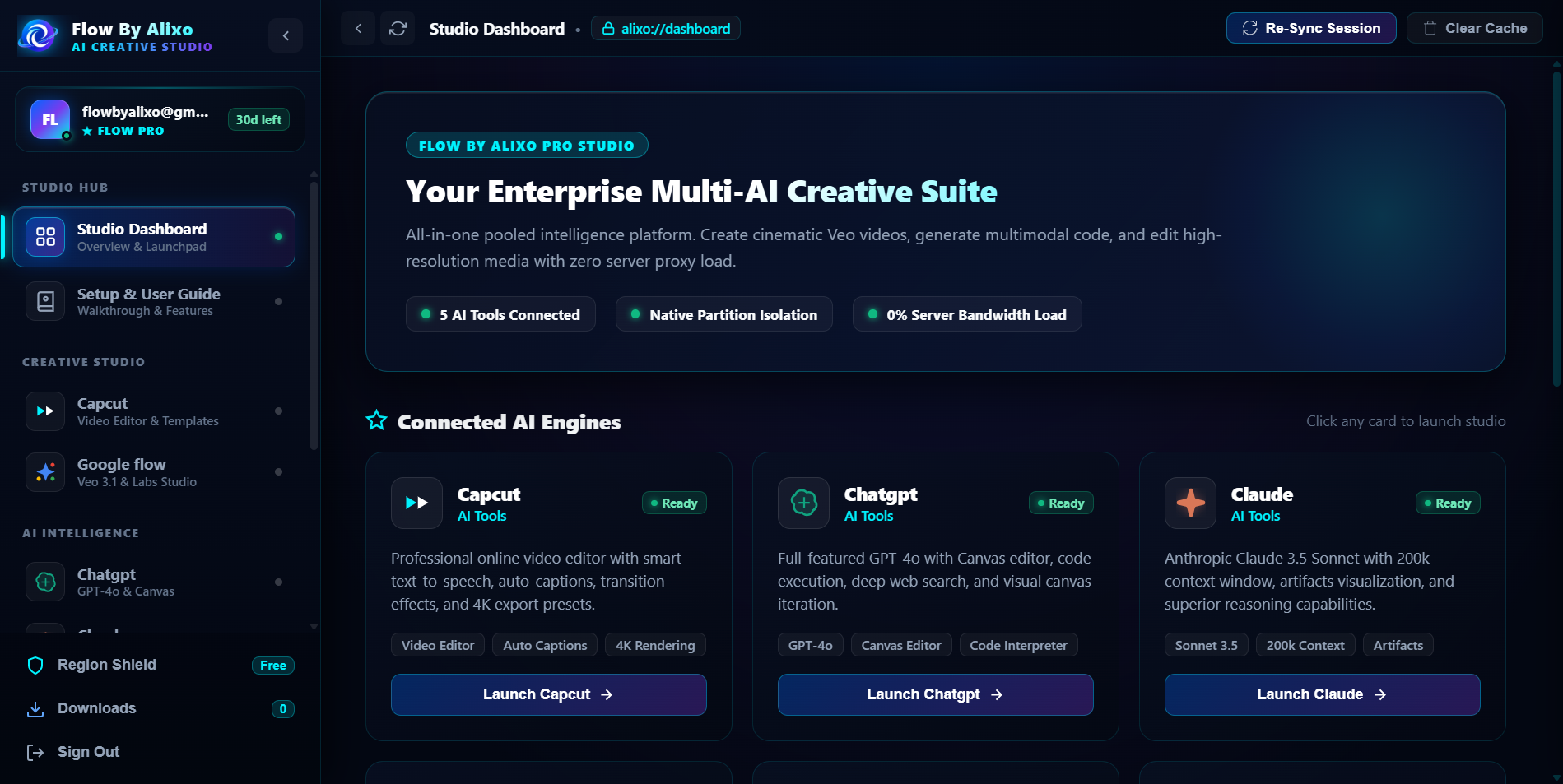
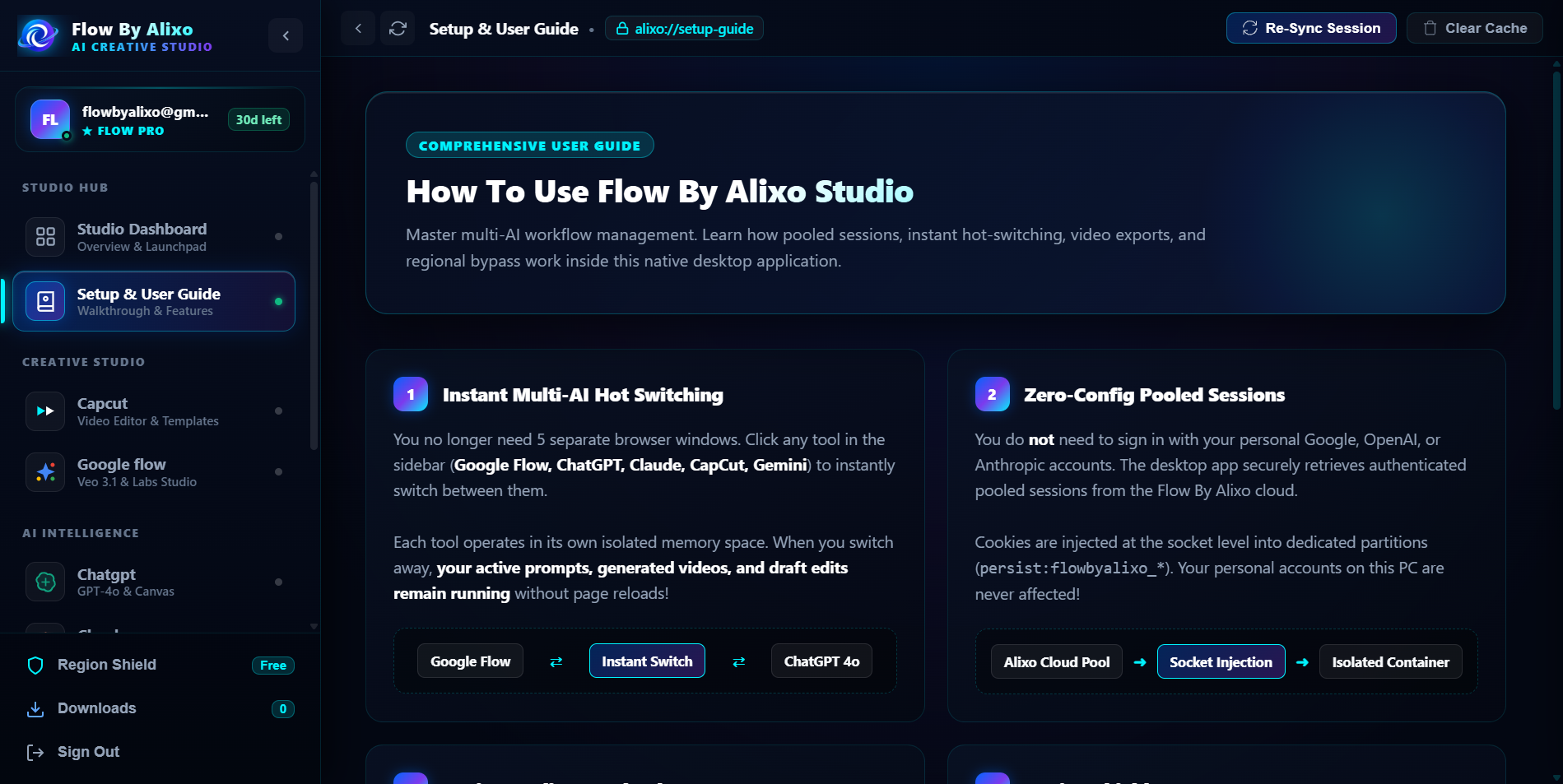
Why the Desktop App Outperforms Standard Browsers
Engineered specifically for creators, visual artists, and AI workflow operators who require uninterrupted high-performance sessions.
0% Server Proxy Overhead
Bypasses VPS proxy bottlenecks entirely. Your creative assets, high-definition videos, and canvas streams run directly through high-speed native connections with zero added latency.
Persistent Anti-Wipe Sessions
Unlike web browsers that wipe storage during cache clears or updates, the desktop app uses a private, dedicated Chromium profile. Your sessions remain intact across reboots.
Dynamic Entitlement Protection
Hardware-verified account synchronization ensures only tools actively purchased on your account are unlocked. Unsubscribed tools remain securely locked.
Hardware Acceleration & 4K Veo
Full GPU hardware acceleration enabled for video rendering, timeline playback, and cinematic Veo generations without browser tab freezes.
Instant Cloud Sync
Purchase or renew tools on the Flow By Alixo website and they automatically reflect in your desktop app workspace within seconds.
Zero Bloatware / Portable
Packaged as a standalone 126 MB binary with all dependencies included. Move it anywhere on your Windows PC and launch instantly.
Setup in 4 Simple Steps
Follow these simple steps to launch your dedicated Flow By Alixo Studio environment on your Windows computer.
Download Standalone Executable
Click the Download button to obtain FlowByAlixo.exe (126 MB). It is a self-contained portable application with an embedded zero-latency Chromium engine — no lengthy installation wizard needed.

Windows SmartScreen Verification
Because this is a freshly compiled custom enterprise binary, Windows Defender SmartScreen may display "Windows protected your PC".
Sign In With Your Flow Account
Launch the application and authenticate using your registered Flow By Alixo credentials. Your hardware signature is safely registered with our server.
Launch Workspace & 4K Creations
Click "Open Workspace" on your unlocked tool (e.g., Google Flow, Veo 3, Claude). Experience full 4K generation, uninterrupted creative sessions, and 0% proxy latency.
System Requirements
Flow By Alixo Studio is optimized for modern Windows environments.
Frequently Asked Questions
Why should I use the Desktop App instead of Chrome browser?
Standard browsers constantly wipe cookies, encounter extension conflicts, and suffer from VPS proxy latency. The Desktop App gives you an isolated, persistent environment, full GPU hardware acceleration for 4K Veo renders, and instantaneous session launches.
Why are some tools locked with a padlock icon?
The desktop app syncs in real-time with your Flow By Alixo account subscriptions. You only have access to the specific tools you have purchased. To unlock additional tools, simply upgrade your subscription on the website.
Will my session log out when I close the desktop application?
No. The Desktop App retains your session cookies securely in its isolated user data partition. You can close and reopen the app at any time without having to log in again, until you explicitly choose to Sign Out.
What should I do if Windows SmartScreen shows a warning?
This is standard for new custom enterprise executables that have not yet built up Microsoft global telemetry trust. Simply click "More info" and then "Run anyway". The app is 100% clean and virus-free.
Can another user use my downloaded file?
Anyone can launch the app, but they will be required to sign in with their own Flow By Alixo account. Their account entitlements will strictly govern which tools they can access.
Ready to Upgrade Your Creative Flow?
Download the official Flow By Alixo Studio Desktop app now. Connect your account in seconds and unlock blazing fast AI generation.